-
×
 Zac Hansen – The Productized Community
1 × $29.00
Zac Hansen – The Productized Community
1 × $29.00 -
×
 TraderLion – High Tight Flag Masterclass
1 × $47.00
TraderLion – High Tight Flag Masterclass
1 × $47.00 -
×
 Alexandra Danieli – Selling for Projectors
1 × $39.00
Alexandra Danieli – Selling for Projectors
1 × $39.00 -
×
 Trades Trending – Daily Trade Machine
1 × $40.00
Trades Trending – Daily Trade Machine
1 × $40.00 -
×
 Austin Lovell – Freedom Fast Track
2 × $9.00
Austin Lovell – Freedom Fast Track
2 × $9.00 -
×
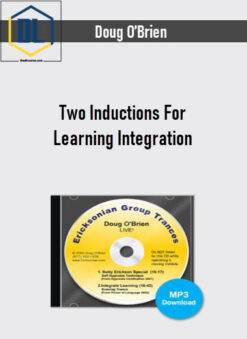 Doug O’Brien – Two Inductions For Learning Integration
2 × $12.00
Doug O’Brien – Two Inductions For Learning Integration
2 × $12.00 -
×
 Just for Traders – Options Buying Course
1 × $9.00
Just for Traders – Options Buying Course
1 × $9.00 -
×
 Ronnie Rodrigues – Google Maps
1 × $9.00
Ronnie Rodrigues – Google Maps
1 × $9.00 -
×
 B The Trader – Trading Course
1 × $20.00
B The Trader – Trading Course
1 × $20.00 -
×
 David Snyder – Defense Against The Dark Arts
2 × $47.00
David Snyder – Defense Against The Dark Arts
2 × $47.00 -
×
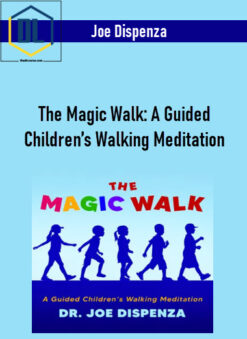 Joe Dispenza – The Magic Walk: A Guided Children’s Walking Meditation
1 × $10.00
Joe Dispenza – The Magic Walk: A Guided Children’s Walking Meditation
1 × $10.00 -
×
 Jermaine Francois – The Only Astra Academy
1 × $65.00
Jermaine Francois – The Only Astra Academy
1 × $65.00 -
×
 Luis Congdon – 2 Minute Social Media Celebrity System
1 × $9.00
Luis Congdon – 2 Minute Social Media Celebrity System
1 × $9.00 -
×
 Lynne McTaggart – Power Of Eight Intention Masterclass 2019
1 × $60.00
Lynne McTaggart – Power Of Eight Intention Masterclass 2019
1 × $60.00 -
×
![Wei Qi Feng Laoshi – Self-Healing Methods Of The Circulatory System [Recordings ONLY]](https://thedlcourse.com/wp-content/uploads/2024/11/Wei-Qi-Feng-Laoshi-–-Self-Healing-Methods-Of-The-Circulatory-System-Recordings-ONLY-247x339.jpg) Wei Qi Feng Laoshi – Self-Healing Methods Of The Circulatory System [Recordings ONLY]
1 × $32.00
Wei Qi Feng Laoshi – Self-Healing Methods Of The Circulatory System [Recordings ONLY]
1 × $32.00 -
×
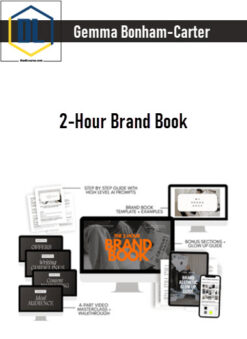 Gemma Bonham-Carter – 2-Hour Brand Book
1 × $9.00
Gemma Bonham-Carter – 2-Hour Brand Book
1 × $9.00 -
×
 Gemma Bonham-Carter – The Passive Project
1 × $9.00
Gemma Bonham-Carter – The Passive Project
1 × $9.00 -
×
 Jason Julius – Rock Hard Code
1 × $16.00
Jason Julius – Rock Hard Code
1 × $16.00 -
×
 Matt Clark and Jason Katzenback – Amazing Selling Machine 11
1 × $9.00
Matt Clark and Jason Katzenback – Amazing Selling Machine 11
1 × $9.00

-97%
Buy With Coupon: DLC25 (-25%)
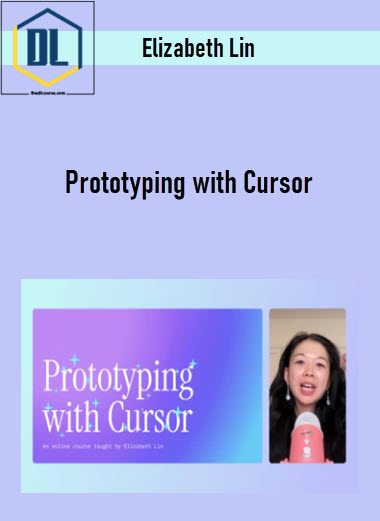
Elizabeth Lin – Prototyping with Cursor
Original price was: $350.00.$9.00Current price is: $9.00.
Delivery: Instant Delivery
Description
Elizabeth Lin – Prototyping with Cursor
A self-paced online course taught by Elizabeth Lin
AI tools like Cursor are expanding what’s possible for designers and non-developers. Instead of spending hours manually crafting prototypes, you can now build interactive prototypes in minutes.
Whether you want to create a custom portfolio from scratch or build with components straight from your Figma design system, this course is a great fit for you!
Explore two ways of working with Cursor
- Creative exploration
How can Cursor be a creative partner in your work? What novel ideas can you generate with the help of an LLM? Design with a variety of visual styles, explore creative typography, and create a working piano. - Technical execution
What are practical ways for using Cursor in your design process? Using a Model Context Protocol (MCP), convert a design system into components for building pixel perfect prototypes. Learn to build prototypes with real data.
What You’ll Learn In Prototyping with Cursor
- Foundations: Getting started
Learn the basics of Cursor, set up your development environment, and practice git basics. - Project 01: Customize your homepage
Personalize your project’s landing page with visual styles and creative prompts. - Lesson: Debugging 101
Master essential debugging techniques to fix errors in your code. - Lesson: Deploy your website
Publish your projects to the web using Vercel. - Project 02: Make a piano
Create a working interactive piano. - Project 03: Play with type
Explore CSS typography effects and animations beyond traditional design tools. - Lesson: Rules
Learn to create global and project-specific rules to guide Cursor’s behavior. - Project 04: Note-taking interface
Create a window-based note app with rich text editing. - Project 05: Digital bookshelf
Build a database-powered prototype using the Notion API. - Lesson: Your first MCP
Connect Cursor to external apps like Figma using Model Context Protocol. - Lesson: Start from scratch
Set up a Next.js project independently and connect it to GitHub. - Project 06: Design library
Convert Figma design systems into reusable code components. - Project 07: Remix an arcade game
Build a game using AI-generated starter templates.
More courses from the same author: Elizabeth Lin
Delivery Policy
When will I receive my course?
You will receive a link to download your course immediately or within 1 to 21 days. It depends on the product you buy, so please read the short description of the product carefully before making a purchase.
How is my course delivered?
We share courses through Google Drive, so once your order is complete, you'll receive an invitation to view the course in your email.
To avoid any delay in delivery, please provide a Google mail and enter your email address correctly in the Checkout Page.
In case you submit a wrong email address, please contact us to resend the course to the correct email.
How do I check status of my order?
Please log in to TheDLCourse account then go to Order Page. You will find all your orders includes number, date, status and total price.
If the status is Processing: Your course is being uploaded. Please be patient and wait for us to complete your order. If your order has multiple courses and one of them has not been updated with the download link, the status of the order is also Processing.
If the status is Completed: Your course is ready for immediate download. Click "VIEW" to view details and download the course.
Where can I find my course?
Once your order is complete, a link to download the course will automatically be sent to your email.
You can also get the download link by logging into your TheDLCourse account then going to Downloads Page.
Related products
-60%
Original price was: $80.00.$32.00Current price is: $32.00.
-97%
Original price was: $997.00.$29.00Current price is: $29.00.
-98%
Original price was: $1,997.00.$40.00Current price is: $40.00.
-95%

Original price was: $795.00.$39.00Current price is: $39.00.
-95%
Original price was: $997.00.$47.00Current price is: $47.00.
-45%
Original price was: $497.00.$273.00Current price is: $273.00.
-97%

Original price was: $2,995.00.$79.00Current price is: $79.00.
-99%
Original price was: $997.00.$9.00Current price is: $9.00.