-
×
 Dan Kennedy - Copywriting Mastery and Sales Thinking Boot Camp
1 × $75.00
Dan Kennedy - Copywriting Mastery and Sales Thinking Boot Camp
1 × $75.00 -
×
 Jermaine Francois – The Only Astra Academy
1 × $65.00
Jermaine Francois – The Only Astra Academy
1 × $65.00 -
×
 Hypnosis Audios – Telesales Confidence
1 × $9.00
Hypnosis Audios – Telesales Confidence
1 × $9.00 -
×
 OkkForex – Forex WATA
1 × $9.00
OkkForex – Forex WATA
1 × $9.00 -
×
 BowesPublishing – The EVERYTHING Bundle 2024 (KDP)
1 × $9.00
BowesPublishing – The EVERYTHING Bundle 2024 (KDP)
1 × $9.00 -
×
 Steve Jones – Precision NLP
1 × $9.00
Steve Jones – Precision NLP
1 × $9.00 -
×
 Christine Marie – Designing to Delight
1 × $24.00
Christine Marie – Designing to Delight
1 × $24.00 -
×
 Bradley Benner – Local PR Pro
1 × $27.00
Bradley Benner – Local PR Pro
1 × $27.00 -
×
 Daniel McEvoy – Dans Bull Run Millions Crypto Course
1 × $40.00
Daniel McEvoy – Dans Bull Run Millions Crypto Course
1 × $40.00


-30%
Buy With Coupon: DLC25 (-25%)
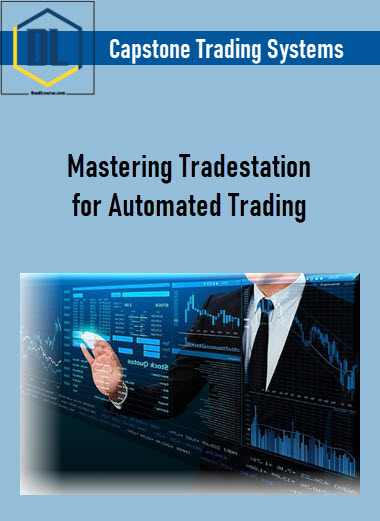
Capstone Trading Systems – Mastering Tradestation for Automated Trading
Original price was: $97.00.$68.00Current price is: $68.00.
Delivery: Instant Delivery
Description
Capstone Trading Systems – Mastering Tradestation for Automated Trading
Unlock the power of Tradestation to enhance your trading skills and strategies. Gain practical insights and tools to trade more effectively and confidently.
What You’ll Learn In Mastering Tradestation for Automated Trading
Introduction
- Welcome to Mastering Tradestation for Automated Trading
Importing Easylanguage
- Import Easylanguage Strategies, Indicators, and Functions
Custom Sessions
- Importing Custom Sessions
- Creating Custom Sessions
Mixing Symbols of Different Delays
- You May Not Mix Symbols of Different Delays
Market Data
- Pending Data and Reloading Data
Backtesting Trading Systems
- Viewing Performance Summaries
Managing Disconnects During Automation
- Adjusting Automatic Backups and Disconnects
- Setting Up Email Alerts for Disconnects
- Re-Synching Automation after Disconnect
Multi-Strategy Automation on the Same Symbol
- How to Setup and Automate Multiple Trading Systems on the Same Symbol
VPS and Dedicated Servers
- Dedicated Trading Server Specifications
- Connecting to Your VPS or Dedicated Server
Managing Rollovers
- Futures and Commodity Contract Rollovers
Dont Trade Functions
- Dont Trade On Holidays
- Dont Trade On FOMC
Radarscreen
- Radarscreen, Symbol Linking, and Level II
More courses from the same author: Capstone Trading Systems
Delivery Policy
When will I receive my course?
You will receive a link to download your course immediately or within 1 to 21 days. It depends on the product you buy, so please read the short description of the product carefully before making a purchase.
How is my course delivered?
We share courses through Google Drive, so once your order is complete, you'll receive an invitation to view the course in your email.
To avoid any delay in delivery, please provide a Google mail and enter your email address correctly in the Checkout Page.
In case you submit a wrong email address, please contact us to resend the course to the correct email.
How do I check status of my order?
Please log in to TheDLCourse account then go to Order Page. You will find all your orders includes number, date, status and total price.
If the status is Processing: Your course is being uploaded. Please be patient and wait for us to complete your order. If your order has multiple courses and one of them has not been updated with the download link, the status of the order is also Processing.
If the status is Completed: Your course is ready for immediate download. Click "VIEW" to view details and download the course.
Where can I find my course?
Once your order is complete, a link to download the course will automatically be sent to your email.
You can also get the download link by logging into your TheDLCourse account then going to Downloads Page.
Related products
-40%
Original price was: $117.00.$70.00Current price is: $70.00.
-59%

Original price was: $27.00.$11.00Current price is: $11.00.
-96%

Original price was: $497.00.$20.00Current price is: $20.00.
-98%
Original price was: $497.00.$9.00Current price is: $9.00.
-74%

Original price was: $299.00.$79.00Current price is: $79.00.
-96%
Original price was: $997.00.$35.00Current price is: $35.00.
-97%
Original price was: $350.00.$9.00Current price is: $9.00.
-99%
Original price was: $997.00.$10.00Current price is: $10.00.